Authentication and Cybersecurity Icons: Enhancing Digital Trust Through Visual Clarity
Visualizing Security in a Digital World
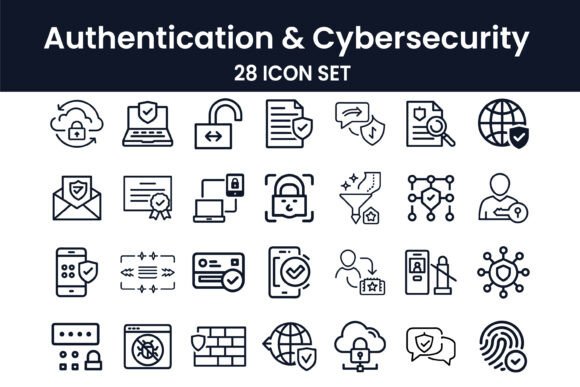
In today's digital landscape, trust is built not just through performance, but also perception. Authentication and Cybersecurity Icons offer a powerful visual language that communicates safety, verification, and protection. This curated set of 29 icons is more than just aesthetic design elements—they are tools that help users understand, navigate, and trust digital environments. Whether it's a login screen, a two-factor authentication prompt, or a secure payment gateway, these icons serve as visual cues that reinforce security at every user touchpoint.
Real-World Applications Across Industries
From fintech startups to enterprise SaaS platforms, the Authentication and Cybersecurity Icon Set finds relevance in a wide range of applications. Consider a mobile banking app that uses a lock icon to indicate encrypted data transmission. That simple symbol reassures users that their financial information is protected. Similarly, a cloud storage service might use a shield icon to represent end-to-end encryption, giving customers peace of mind about their stored files.
E-commerce platforms benefit immensely from these visual signals as well. A checkout page featuring a padlock or biometric authentication icon can significantly reduce cart abandonment by reinforcing the idea of secure transactions. Even in healthcare applications, where data sensitivity is paramount, these icons help communicate compliance with standards like HIPAA through visual indicators of secure access and data handling.
Who Benefits Most from These Icons?
Web developers and UI/UX designers are among the primary users of this icon set. For them, the icons serve as ready-made visual assets that speed up design workflows while maintaining a professional, consistent look. A freelance designer building a client's dashboard might use the key icon to represent API access or the user profile icon to denote account settings.
Product managers and startup founders also find value in these icons when crafting Minimum Viable Products (MVPs). A quick visual identity around security can make early-stage apps feel more trustworthy and polished, even with minimal backend complexity. Meanwhile, enterprise software teams use the icons to standardize security messaging across internal tools, ensuring that employees recognize and understand security protocols at a glance.
Practical Use Cases That Make a Difference
Let’s take a look at a few real-world examples where these icons can elevate both function and form:
- Login interfaces: Using a fingerprint or face recognition icon next to biometric login options makes the feature instantly recognizable.
- Security dashboards: A firewall or shield icon helps categorize threat detection modules clearly.
- Two-factor authentication (2FA) setup: An SMS icon or authenticator app symbol simplifies the onboarding process for users unfamiliar with 2FA.
- Privacy settings: Icons representing encryption, data access controls, and permissions help users navigate complex privacy options with confidence.
Each of these examples demonstrates how the right icon can reduce cognitive load and improve usability, especially when dealing with complex cybersecurity features that might otherwise feel overwhelming to the average user.
Choosing the Right Icons for Your Project
When integrating Authentication and Cybersecurity Icons into your project, consider the context in which they'll be used. Not all icons translate equally well across platforms. For instance, a stylized lock icon might work well in a mobile app but could appear too abstract on a desktop interface with higher resolution demands.
Also, think about your audience. A younger demographic might respond well to modern, minimalist icon styles, while enterprise users may prefer more traditional, clearly defined symbols. Consistency is key—ensure that the visual tone of the icons aligns with the rest of your design system to maintain a cohesive user experience.
Strengths That Make an Impact
One of the standout strengths of this icon set is its versatility. Each icon is crafted with scalability in mind, making them suitable for both high-resolution displays and mobile screens. They’re also designed to be platform-agnostic, fitting seamlessly into web apps, mobile apps, desktop software, and even printed materials like user guides or security documentation.
Another major benefit is clarity. In an era where phishing attempts and fake login pages are rampant, having universally recognizable icons can help users distinguish between legitimate and malicious interfaces. A clearly rendered key icon next to a login field, for example, helps users identify real authentication prompts and avoid scams.
Limitations to Be Mindful Of
While the Authentication and Cybersecurity Icon Set is highly functional, it’s not a one-size-fits-all solution. Some niche security features—like hardware token authentication or advanced threat detection systems—may not be fully represented in the current collection. In such cases, designers might need to supplement with custom icons or combine existing ones to convey the intended meaning.
Also, overuse can dilute effectiveness. Placing too many security icons on a single screen can overwhelm users and reduce their impact. Strategic placement—such as near login forms, in settings menus, or within security alerts—ensures that these icons remain meaningful rather than decorative.
Designing with Purpose and Protection
At their core, these icons are more than visual assets—they’re tools for building digital trust. Whether you're launching a new authentication feature, redesigning a security dashboard, or simply enhancing the usability of your login flow, the Authentication and Cybersecurity Icon Set offers a streamlined way to communicate protection and professionalism. By integrating these icons thoughtfully into your design, you not only improve user experience but also reinforce the importance of cybersecurity in everyday digital interactions.